Nexora Labs · 3ds Max Plugin · v1.2.1
One photo in.
A finished material out.
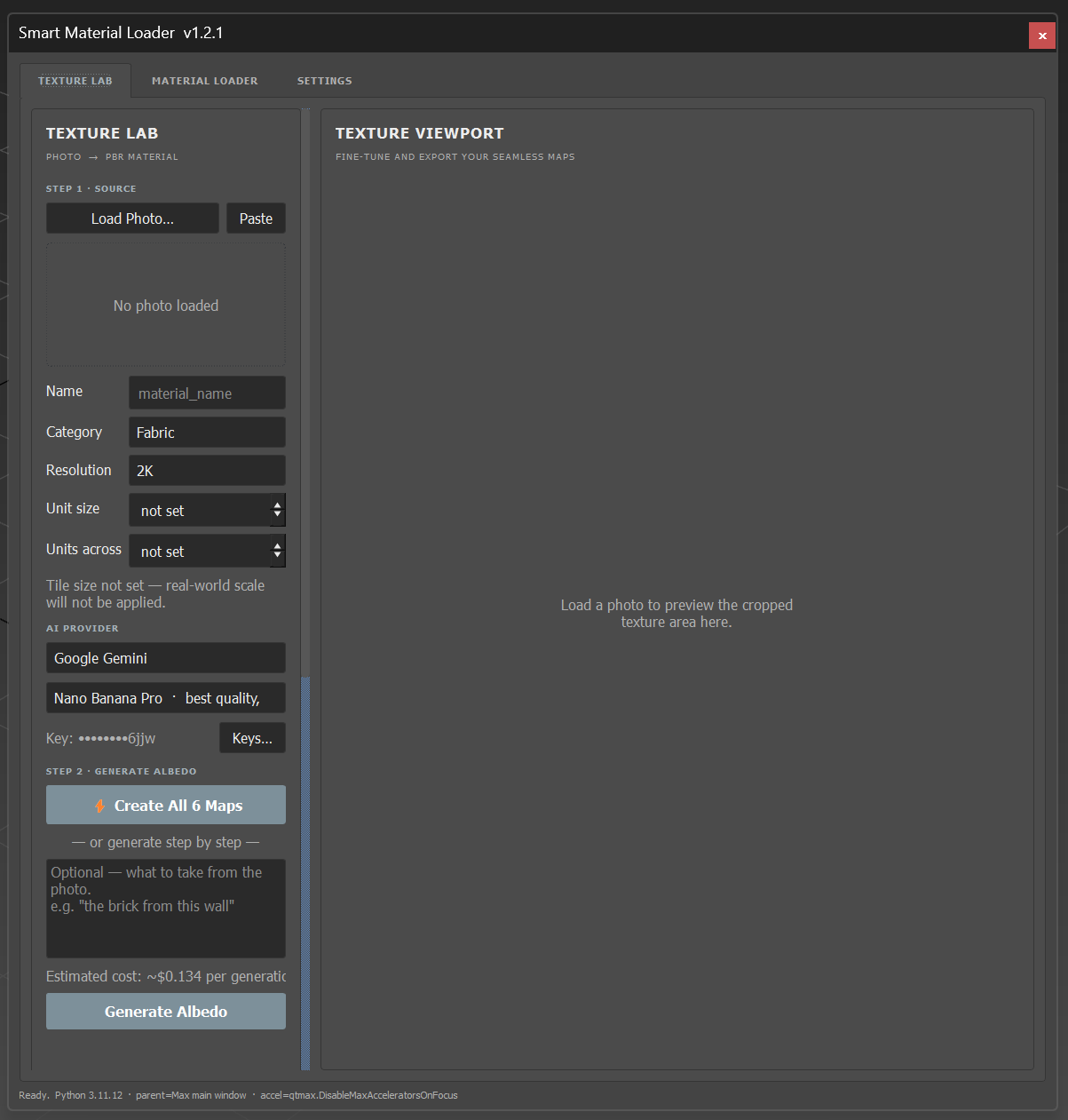
Texture Lab turns a single photo into a full, tileable PBR material with AI — Roughness, Normal, Height, AO, and Metalness all derived automatically. Material Loader auto-wires it (or any texture folder) into a correctly-wired Corona or V-Ray material.
Get in touch →3ds Max 2024+ · Corona & V-Ray
What it does
Two tools, one plugin: Texture Lab and Material Loader.
Photo to PBR material
Load one photo of a real surface. AI generates a brand-new, flat, evenly-lit texture from its pattern — no baked lighting, no perspective, no object shape left in the result.
Automatic seamless tiling
Every generated texture is algorithmically blended at the edges and scored good / fair / poor, so it tiles cleanly in the viewport with no visible seam.
6 maps from one photo
Roughness, Normal, Height, Ambient Occlusion, and Metalness are all derived automatically from the AI albedo — one photo becomes a complete map set.
8 material categories
Fabric, Wood, Stone, Concrete, Leather, Metal, Plaster, and Tile — each with tuned roughness, height, and metalness defaults for that material.
Corona & V-Ray, wired automatically
Send the finished map set straight into Material Loader, which detects every channel and builds a clean, correctly-wired material for either renderer.
Bring your own AI key
Connect Google Gemini, OpenAI, or Kie.ai and pay the provider directly for what you generate — typically a few cents per material. No subscription.
FAQ
Questions, answered.
What do I need to run it?
3ds Max 2024 or newer, with Corona and/or V-Ray installed. It installs as a standard .mzp script package. Texture Lab (the AI photo-to-material tool) also needs an internet connection and your own API key for Google Gemini, OpenAI, or Kie.ai.
Do I need my own API key?
Yes, for Texture Lab’s AI generation step — it connects to your own Gemini, OpenAI, or Kie.ai account, so you pay the provider directly for what you generate (typically a few cents per material). Material Loader’s texture-wiring tool needs no API key at all.
How does the photo-to-material step work?
You load one photo and pick a material category. The AI is instructed to extract just the pattern — not the object it was photographed on — and redraw it as a flat, evenly-lit, edge-to-edge texture. The result is then made seamless and used to derive Roughness, Normal, Height, AO, and Metalness automatically.
Will it change my geometry?
No. Displacement and height are connected to the material’s own slots only. The tool never adds a modifier or alters your mesh.
How is it installed?
Drag the .mzp file into a 3ds Max viewport (or Scripting → Run Script). Then add the “Smart Mtl Loader” toolbar button once from Customize UI. Click it any time to open the tool.